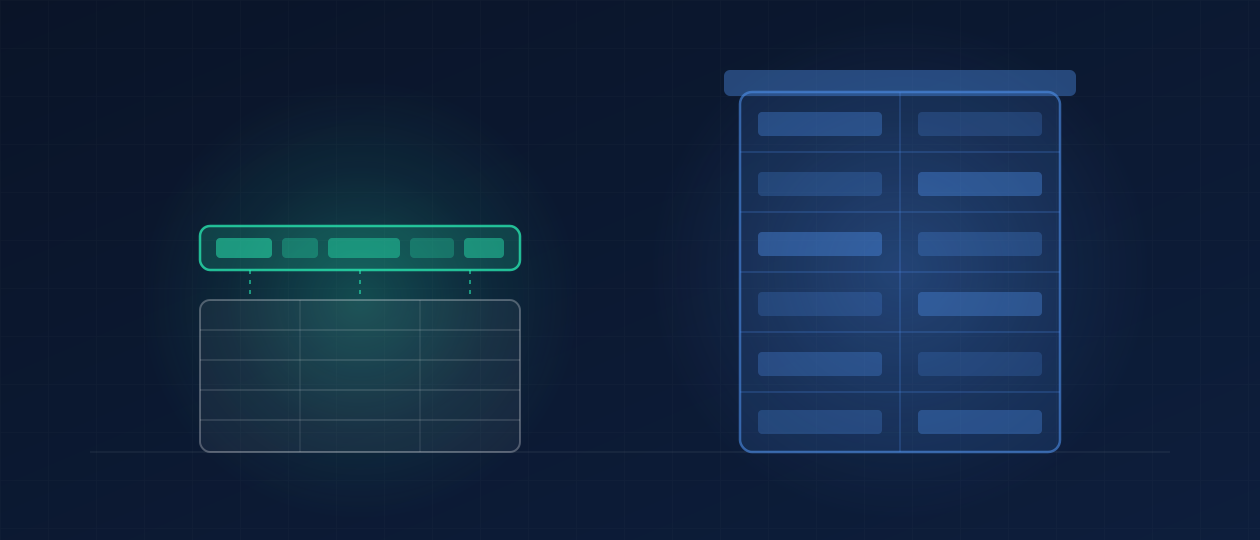
Most owners who search for Smart Service vs ServiceTitan are not really choosing between two apps. They are choosing whether QuickBooks stays at the center of the business or gets replaced.
That is the honest shape of this comparison. Smart Service is built to sit next to QuickBooks and feed it. ServiceTitan is built to become the system the whole company runs on, office and field together. Everything else, the feature grids, the demos, the review scores, follows from that one difference.
So before the details, one question worth answering out loud: is QuickBooks where your business actually lives? If your bookkeeper, your CPA, and your month-end all run through it, you are shopping for something very different from an owner who wants one platform to replace five.
What Smart Service is
Smart Service describes itself as field service software for the trades, and its whole identity is the QuickBooks connection. It schedules jobs, dispatches crews, handles work orders and invoicing, and syncs jobs, invoices, customers, and payments with QuickBooks. It lists HVAC, plumbing, electrical, pest control, garage door, septic, fire protection, chimney, and appliance repair among the trades it serves.
It comes in two editions:
- Smart Service Desktop installs alongside QuickBooks Desktop on the same machine. Technicians use a companion mobile app called iFleet for their schedule, work orders, and customer history.
- Smart Service Cloud runs in the cloud, includes a mobile app for technicians, and integrates with both QuickBooks Online and QuickBooks Desktop. It is the edition Smart Service points to for companies moving to the cloud or running QuickBooks Online.
The company says it has spent more than 30 years building QuickBooks scheduling software, and that it builds and supports the product in-house in Dublin, Ohio. For an owner who has been burned by offshore support queues, that last point is not trivia.
What ServiceTitan is
ServiceTitan positions itself as software designed specifically for the home service industry, and it aims wider. Scheduling and dispatch are only the starting point. Its own comparison page emphasizes a technician mobile app for iOS and Android, two-way texting, payroll and commission automation, marketing tools, and drill-down reporting, with the office and the field working from one real-time data set.
It is also built for size. On that same page, ServiceTitan describes itself as fitting teams from 2 to more than 1,000 users. That range is the point: it is designed so a company never has to leave it as it grows, which is exactly why smaller operators sometimes find it heavy. We made the case for where ServiceTitan genuinely wins in our ServiceTitan alternatives guide, and nothing here contradicts it.
Side by side
| Smart Service | ServiceTitan | |
|---|---|---|
| Core idea | Scheduling and dispatch layer that feeds QuickBooks | One platform meant to run the whole field operation |
| Accounting | QuickBooks stays your books (Desktop or Online) | Ask in the demo how it connects to your accounting system |
| Editions | Desktop (next to QuickBooks Desktop) or Cloud | Cloud platform with mobile apps |
| Technician app | iFleet (Desktop) or the Cloud mobile app | ServiceTitan mobile app, iOS and Android |
| Published pricing | Yes, see below | No, pricing is by request |
| Team size it claims | 1 to 99 users (as listed on ServiceTitan's own comparison page) | 2 to 1,000+ users |
Swipe the table sideways to see every column.
Pricing: one of them tells you
This is where the two differ in a way you can check yourself today.
Smart Service publishes its price. As of September 24, 2026, its pricing page lists the standard subscription, for both Cloud and Desktop, as starting at $392 per user per month billed annually, or $489.99 per user per month billed monthly, with a three-user minimum. It also offers an option to buy Desktop licensing outright and renew support annually, and quotes enterprise plans separately.
ServiceTitan does not publish a price. Its pricing page names three tiers, Starter, Essentials, and The Works, and each one leads to a request for pricing. That is normal for platforms of its size, and it means any number you read on a review site is a secondhand estimate.
Two cautions either way. Prices change, so check both pages on the day you decide. And the subscription is rarely the real cost: implementation time, data migration, training, and the hours your office spends running the system are all part of the bill.
Read vendor comparisons like sales pages
Both companies publish comparisons, and both are written to win. ServiceTitan's page comparing itself to Smart Service marks Smart Service as lacking two-way SMS texting, for example, while Smart Service's own homepage lists two-way text messaging, text campaigns, and online booking. One of those pages is out of date or defines the feature narrowly, and neither is a neutral source. The only way to know is to ask in the demo: show me it working, in the edition I would buy.
The same goes for the review aggregators. Market share and star ratings tell you how many companies bought something, not whether it fits an eight-truck plumbing company with one office manager.
How to actually choose
Start with the office, not the feature list.
- Your books live in QuickBooks and your pain is the gap between the schedule and the invoice: Smart Service is built for exactly that. You keep your accountant's workflow and stop typing jobs twice.
- You want one system for dispatch, texting, payroll, marketing, and reporting, and someone on payroll will run it: ServiceTitan is the more complete platform, and its depth pays off once there is an operations seat to use it.
- You are small and nobody in the office has hours to configure software: be careful with both. A lighter tool you actually use beats a deep one you half implement. Our Jobber vs Housecall Pro comparison covers that end of the market.
- You are already on ServiceTitan and it feels heavy: read Housecall Pro vs ServiceTitan before you migrate. Switching platforms is expensive, and the problem is not always the platform.
The right field software is the one your office will still be running correctly in month six. The demo is the least reliable moment to judge that.
The part neither one does for you
Smart Service and ServiceTitan both run the work once it is booked. What neither of them does on its own is the work that decides whether the schedule is full: answering the call when the owner is on a roof, texting back the web lead before a competitor does, following up on the estimate that went quiet, and asking for the review after the job closes.
Both platforms have tools that touch those moments. Tools are not the same as someone doing it. If nobody is assigned to that layer, it does not happen, whichever logo is on the dispatch board.
Where DECO sits in this
DECO does not sell field service software, and we have no stake in which of these two you pick. We work on top of whichever one you run. Our Growth Operating System is installed infrastructure for the front of the business: fast response to every new inquiry, follow-up on unsold estimates, review requests after every job, and a weekly report an owner actually reads. Then we stay and operate it, instead of handing you a manual.
If you want to see that layer, start with what we install or how the plans are structured. If you want a number first, the free revenue leak check takes two minutes and shows where inquiries are being lost before any software decision.
Keep reading

Comparisons
ServiceTitan alternatives and competitors for small service businesses (2026)
9 min readThe DECO Team